AnyPlant: AI Plant Identifier
- 3.7
- Rating
- 100.00K
- Installs
- Free
- Price

 Analysis by App-foxy
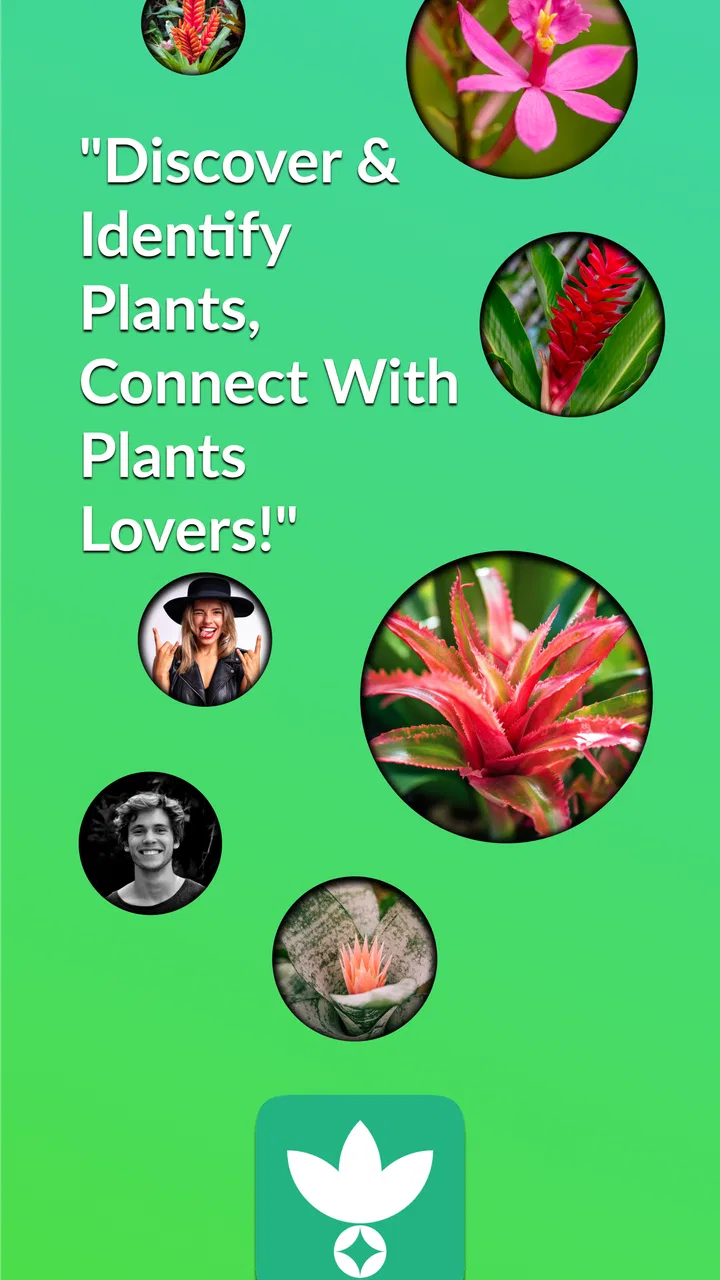
I found AnyPlant: AI Plant Identifier most useful when I treated it as a quick companion for everyday plant questions rather than as a complete replacement for a botanist, nursery worker, or care book. The app is aimed at house and garden owners who want a fast starting point: take a photo, get help identifying a plant, and continue the conversation with an AI-focused plant tool. It also connects that individual search with a wider plant community, which gives the experience a more social feel than a basic camera scanner.
That combination makes a difference for a first-time user. You are not only trying to recognize a leaf in isolation; you can use the result as the beginning of a practical question about what you are looking at and what to investigate next. In my experience, the best results come when I use the app to narrow down possibilities, then check the plant’s condition, growing environment, and care needs before making a decision. It is a useful first step, not a final authority.
What to expect from AnyPlant before you begin
AnyPlant is a free House & Home app from Rydea GO., with optional in-app purchases ranging from $10.99 to $39.99 per item. It is suitable for Everyone, and the app runs on Android devices using version 7.0 or later. The current version is 1.20.5. Those details make it accessible to people using older compatible phones, although the quality of the experience will still depend on the camera and general performance of the device.
You May Also Like

 Blood Strike: 2.5 Anniversary
Blood Strike’s Loadouts Turn Every Drop Into a Tactical Gamble
A close look at Blood Strike’s custom loadouts: how fast access to signature weapons reshapes its battle royale rhythm, rewards preparation, and narrows the gap between fights.

 Pandora - Music & Podcasts
Pandora’s Music Is Easy to Start, but Harder to Recover
Pandora’s strength is its low-effort path from a seed to a station. Its weak spot is how much confidence it asks you to place in connection, setup, and quiet recovery.

 8 Ball Pool
 Is Built on Rivalries, Rematches, and Routine
A close look at the rivalries, rematches, shared routines, and unanswered safety questions that turn a quick pool match into a persistent mobile community.

 Samsung Music
’s Quiet Strength Is Playing What You Already Own
Its reach comes less from spectacle than from dependable access to a personal library. That simplicity is both the app’s strongest retention engine and its ceiling.

 AccuWeather: Weather Radar
AccuWeather Review: A Quick, Clear Forecast for Everyday Decisions
For everyday plans, the best forecast is the one you can understand quickly. AccuWeather makes rain timing, radar, and local conditions easy to act on, with a few trade-offs.

 Hill Climb Racing
Why Hill Climb Racing Still Turns Crashes Into One More Run
A tiny car, a bumpy hill and one more upgrade: Hill Climb Racing keeps resurfacing because its simple chaos makes every near-miss feel personal.
More From Our News Desk



The app has reached over 100 thousand installs and holds a 3.7 average from more than 500 ratings. I read that as a sign of a useful but not universally effortless experience. It is popular enough to have a real user base, yet the rating suggests that results, expectations, or paid elements may not work equally well for everyone. I would not install it expecting every photograph to produce a perfectly certain answer.
The central idea is simple: use the phone camera or an existing image to ask what a plant might be. The AI angle is especially helpful when the plant is unfamiliar but visually distinctive. A broad leaf, unusual flower, or recognizable cactus shape can give the system something to work with. A damaged cutting, a tiny seedling, or a plant photographed in poor light is a much harder test.
The community side is also worth understanding before you start. AnyPlant is not only a private identification utility. Its store summary presents it as a place to chat with a global plant community, so the app is designed to make plant discovery more interactive. That can be encouraging for beginners who want to compare observations or talk through a question, but it also means you should separate community suggestions from dependable horticultural advice.
I would especially recommend it to someone who keeps several houseplants but has lost the labels, has inherited an unfamiliar plant, or regularly sees plants on walks and wants a quick identification lead. It is less suitable for a person who needs legally or scientifically precise species confirmation, a diagnosis for a seriously ill crop, or a guaranteed care schedule based on local growing conditions.
How to prepare for the first scan
Before opening the camera, choose the clearest part of the plant. A full-room photograph may show the general shape, but it often leaves the important details too small. I get more useful results by photographing a healthy leaf, the flower, or the arrangement of leaves on the stem. If the plant has a distinctive feature, that feature should occupy a good part of the frame.
Light matters more than many new users expect. A bright window or outdoor shade usually gives a better image than a dark corner, while direct glare can wash out the surface and color. I also avoid placing a patterned object directly behind a small leaf. A plain background makes it easier to see the outline, especially when the plant has narrow leaves or fine edges.
For a plant with several possible lookalikes, take more than one useful image rather than repeatedly photographing the same angle. One image can show the leaf shape, another can show the whole growth habit, and a third can show the flower or stem. This is one of the most practical ways to improve the quality of an AI identification without needing specialist knowledge.
There is a second preparation step that is easy to overlook: decide what you actually want to know. “What plant is this?” is one task. “Why are the lower leaves yellow?” or “Is this safe to move into stronger light?” is a different task. I find the app more useful when I keep identification and care diagnosis separate. First establish a sensible identity, then ask a focused follow-up question instead of treating one uncertain scan as proof of everything.
Getting through setup without overthinking it
When I first open an app like this, I want to reach a meaningful result quickly. AnyPlant is easiest to judge after completing one real plant search, not after browsing its opening screens. Start with a plant you can inspect easily and photograph in good conditions. A familiar plant is fine too, because it gives you a way to notice whether the result is sensible.
Use the camera option when the plant is in front of you, and use an existing image when you already have a clear photograph. The second route is particularly handy for plants seen at a garden center, on a trip, or during a walk, when you did not have time to frame the subject carefully. If an old image is blurry or includes several plants, crop it first if your phone allows that.
For a first attempt, avoid using a complicated arrangement of multiple species. A shelf full of plants may look attractive, but it creates ambiguity. Photograph one subject at a time and keep the plant centered. This small change makes the result easier to interpret and gives you a cleaner basis for any later conversation.
I also suggest keeping your first question narrow. Instead of immediately asking for a complete care plan, ask whether the suggested identity fits the visible features. Then compare the answer with the plant’s leaf texture, growth pattern, and flower shape. This two-stage approach helps you spot a weak match before you act on it.
The first meaningful success: turning an image into a useful question
The first satisfying moment is not simply seeing a plant name appear. It is getting an answer that helps you decide what to do next. For example, imagine finding an unlabeled plant on a bright windowsill. You photograph a leaf and the whole plant, review the suggested identification, and then ask about the clues that support it. If the answer points you toward checking light, watering habits, or soil drainage, you have gained a practical direction even if the identification still deserves confirmation.
This is where the chat element can be more useful than a one-tap scanner. A scanner normally gives you a label and leaves you to search elsewhere. AnyPlant can make the transition from recognition to conversation feel more natural. I would use that conversation to request a short list of distinguishing features, not to accept a long, confident care routine without checking the plant’s actual condition.
A good workflow is to record the result in your own notes, especially if you are identifying several plants. Write down the suggested name, the visible clues, and the question you still need answered. This prevents a common mistake: remembering only the name while forgetting that the image was taken in poor light or that the plant had unusual damage.
Another useful scenario is buying a plant without a label. Take a photograph before leaving the store, then use the result to learn what details to verify with the seller. Ask about the plant’s mature size, light tolerance, and watering preferences, but treat the app as preparation for that conversation. It can help you avoid buying blindly, while a local expert can account for the conditions in your home.
For outdoor discoveries, I would be more cautious. Many unrelated plants can share a similar leaf shape, and seasonal changes can make identification harder. Use AnyPlant to create a shortlist and to learn what features to inspect. Do not eat, touch, or handle an unfamiliar plant merely because an image result sounds confident. Visual assistance is not a safety guarantee.
Common confusion and where the app needs your judgement
The most likely source of frustration is an answer that sounds precise even when the photograph is not. AI systems work from visual patterns, so a plant with torn leaves, unusual pruning, disease, or missing flowers may be mistaken for a close relative. I do not regard that as a reason to dismiss the app, but I do regard it as a reason to inspect the evidence instead of reading the first result as a fact.
Look for agreement between the suggested identity and several visible characteristics. Does the leaf arrangement make sense? Is the stem shape compatible? Does the flower appear at the right position? If the answer depends on a feature that is not visible in your photograph, take another image before accepting the conclusion. This is a better use of the app than repeatedly asking the same question with the same weak image.
Another point of confusion is the difference between identifying a plant and diagnosing a problem. Yellow leaves can come from several causes, including watering habits, light, age, pests, or root trouble. An identification result may help you research likely care requirements, but it cannot by itself prove why a particular leaf changed color. I would photograph both the affected area and the overall plant, then use the conversation to organize possibilities rather than demand a single diagnosis.
The community can add perspective, but community answers should be handled carefully. A helpful comment from another plant owner may describe a similar experience, yet their climate, soil, pot, and light may be completely different from yours. I use community discussion to discover questions I had not considered, not as a substitute for observing my own plant over time.
Paid elements are another practical consideration. The app itself is free, but optional purchases are listed between $10.99 and $39.99 per item. Before committing to a purchase, I would first complete several ordinary identification attempts and decide whether the free experience fits my routine. The value of an upgrade depends on how often you identify plants and how much you use the conversational or community side; a casual user may not need to pay for occasional curiosity.
The 3.7 average also encourages realistic expectations. Some users will have excellent results with clear photographs, while others may encounter uncertain matches or find the interaction less useful for advanced plant care. I would not judge the app from one difficult specimen, but I would also not ignore repeated weak results. If your main need is a dependable catalog of your own collection, a dedicated plant journal may be a better fit. If your main need is exact taxonomic confirmation, a field guide or specialist community is likely stronger.
Three habits that make the app more useful
First, photograph the same plant at two scales. A close image captures identifying details, while a wider image shows whether the plant grows upright, trailing, clustered, or from a central crown. These views answer different parts of the identification problem. Combining them is more informative than relying on a single dramatic close-up.
Second, ask the app to explain what would disprove its suggestion. This is a more demanding question than asking for a name, and it helps reveal whether the proposed match is based on a meaningful feature or only a general resemblance. If the answer cannot point to observable differences, I treat the result as tentative and seek another opinion.
Third, use the app before a plant becomes an emergency. Identifying a plant while it is healthy gives you a reference image and a chance to learn its normal appearance. Waiting until leaves are collapsing makes every visual clue less reliable. For a collection of houseplants, a quick identification session when each plant is doing well can save time later.
A fourth habit is to separate the app’s confidence from your own urgency. If a plant looks stressed today, do not make several major changes at once because of one result. Move it, change the watering, repot it, and add fertilizer all at the same time, and you will not know what helped or harmed it. Use the app to form a small, testable plan and observe the response.
Who should use it, and who should choose something else
AnyPlant is a good match for beginners who want a friendly entry point into plant identification. It is also useful for curious walkers, new plant owners, and people who prefer asking follow-up questions instead of searching through several unrelated pages. The combination of image-based recognition and plant-focused conversation gives it more flexibility than a static reference sheet.
I would recommend it less strongly to experienced growers who already know the common plants in their collection and need detailed records, reminders, or environmental tracking. Those users may get more value from a specialized gardening journal or a care-tracking tool. AnyPlant can still help with an unfamiliar purchase, but it may not replace the organization features they use every day.
It is also not my first choice for high-stakes identification. If you need to know whether a wild plant is edible, whether a plant is dangerous to a child or pet, or whether a rare specimen has been identified correctly, use qualified human advice and trusted specialist references. The Everyone age rating makes the app broadly approachable, but that rating does not turn visual suggestions into professional safety guidance.
Compared with a conventional image search, AnyPlant has the advantage of keeping the interaction focused on plants and allowing a follow-up conversation. Compared with a printed guide, it is faster and more convenient when you have a camera-ready specimen. Compared with a specialist forum, it may provide an answer sooner, but a knowledgeable human may notice regional or botanical details that an automated result misses. I see it as the quickest first filter among those options, not the strongest final judge.
My recommendation after using the full workflow
I would start with AnyPlant if I had an unlabeled houseplant and wanted a calm, practical route from photograph to next question. The process is reassuring when you keep the first test simple: choose one plant, use a clear image, inspect the suggested clues, and ask a focused follow-up. That path gives a beginner a meaningful success without requiring botanical vocabulary.
The app is most convincing when it helps you become a better observer. You begin noticing leaf arrangement, growth habit, lighting, and the difference between an identification question and a care problem. That learning effect is more valuable than a name alone, because it improves the quality of every later search and conversation.
At the same time, I would keep a healthy amount of skepticism. Poor photographs, lookalike species, damaged plants, and overly broad care questions can all reduce the value of the result. The optional purchases also deserve a pause before spending, particularly if you only identify a plant now and then. Try the free experience with several different photographs and see whether it genuinely fits your habits.
Released on May 24, 2024, AnyPlant is still best approached as a practical, evolving tool rather than a definitive plant encyclopedia. Rydea GO. has created something approachable for the first stage of plant discovery, and its community focus gives the app a warmer feel than a bare identification button. My final view is positive with clear limits: use AnyPlant to turn uncertainty into a sensible next step, then confirm important decisions through observation and reliable human or specialist guidance.
FAQs for AnyPlant: AI Plant Identifier
01What is AnyPlant: AI Plant Identifier and how does it work?
AnyPlant: AI Plant Identifier is a mobile app designed to recognize plants from photographs. After taking a picture or selecting one from your gallery, the app analyzes visible features such as leaves, flowers, stems, and overall shape, then suggests a likely plant identity. Results can be useful for quick reference, although image quality, lighting, and the plant’s condition may affect accuracy.
02How accurate is AnyPlant when identifying plants?
The app can provide helpful identification suggestions, especially when the photo is clear, well lit, and shows distinctive parts of the plant. However, it should not be treated as infallible. Similar species may look nearly identical, and unusual varieties, damaged leaves, or incomplete images can lead to an incorrect result. It is best to compare the suggested information with trusted botanical sources.
03Can AnyPlant help me care for the plants it identifies?
Besides recognizing a plant, AnyPlant may provide useful information related to the identified species, such as general care guidance, watering considerations, light preferences, or growing conditions, depending on the available entry. These recommendations are a convenient starting point, but they may not account for your local climate, soil, pot size, or the plant’s current health. Observe the plant and adjust care accordingly.
04Does AnyPlant: AI Plant Identifier require an internet connection?
An internet connection may be needed for several of the app’s main functions, particularly sending images for AI analysis, loading plant information, or displaying updated content. Availability can vary by version and device, so users should not assume that identification works fully offline. If you plan to use the app outdoors, it is worth checking connectivity first and keeping photos available for later analysis.
05Is AnyPlant free to download, and are there in-app purchases?
AnyPlant’s download availability, included features, advertisements, and premium options can depend on the platform and the current version published in the app store. Some basic identification tools may be available at no cost, while unlimited scans, advanced plant information, or additional features could require a subscription or one-time purchase. Review the store listing and payment terms before confirming any trial or upgrade.
Pros
- Identifies many common plants from a single photo
- Provides useful care tips for watering and sunlight
- Clean interface is easy for beginners to navigate
- Helpful for organizing and recognizing plants at home
- Can make plant discovery more engaging and educational
Cons
- Results may be inaccurate with blurry or poorly lit photos
- Some advanced features may require a paid subscription
- Care advice can be too general for specific plant varieties
- Requires camera or photo access to identify plants
- Frequent identification use may consume mobile data

AnyPlant: AI Plant Identifier
Gallery